2026-08-21 • 11 min read
The Download Proxy Hiding in Your Browser
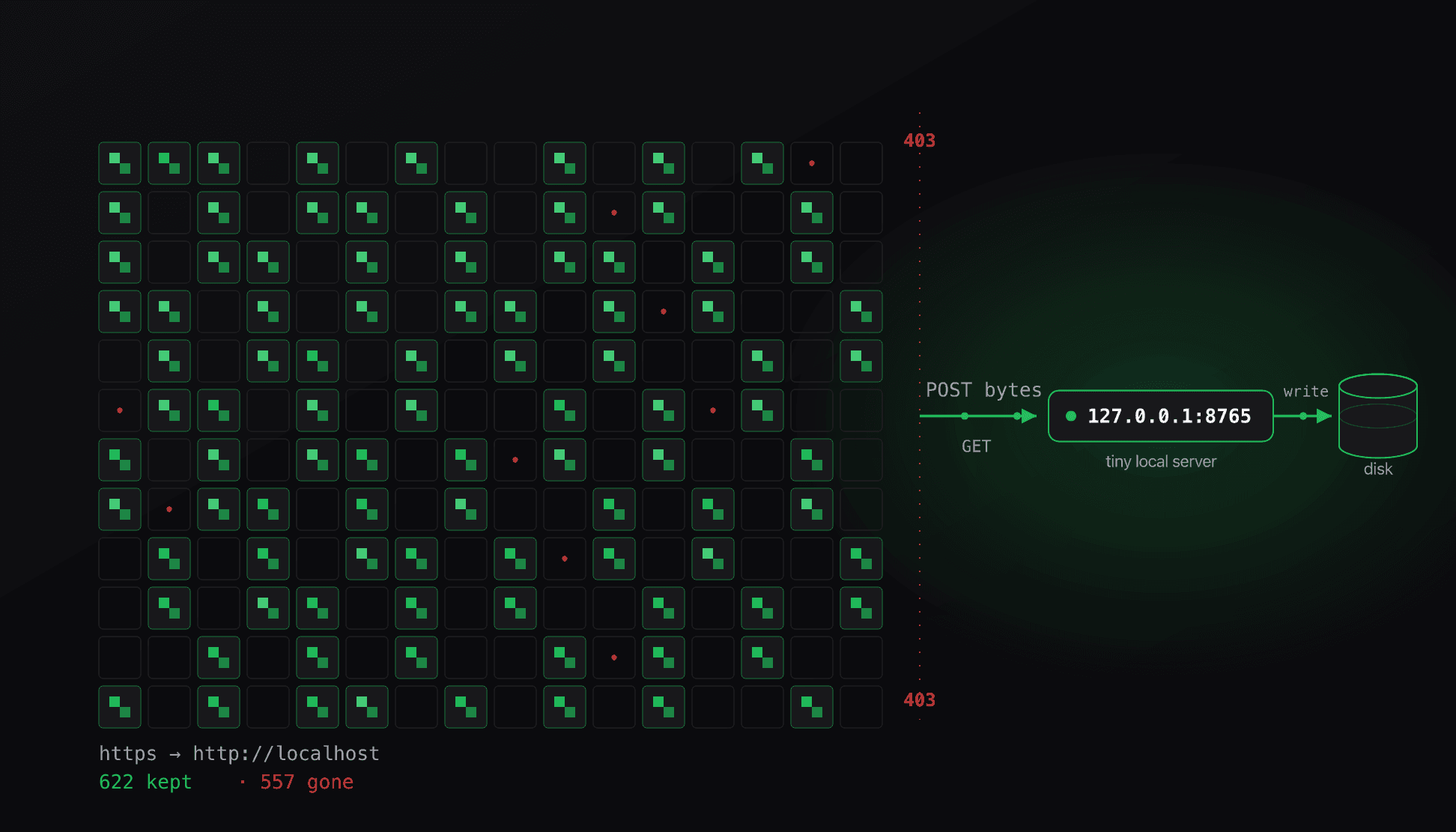
Archiving a few hundred wallpapers turned into a standoff with Cloudflare that curl and gallery-dl kept losing with a 403. The way through was a browser capability most scraping never touches, and the archive turned out to be rotting faster than I could save it.
"Can you download all the wallpapers on this page?"
That was the whole request: one offhand line and a link to a wallpaper thread on an ephemeral imageboard. The mechanics behind it turned out to be a good tour of how anti-bot walls actually work, and of one browser capability that most scraping never touches.
These boards expose a JSON endpoint per thread, and it is worth looking at what a single image record contains, because it decides the whole approach:
{
  "posts": [
    {
      "tim": 1746390322498982,   // the file's name on the CDN host
      "ext": ".jpg",             // URL = cdn.example/board/<tim><ext>
      "fsize": 158177,           // exact size in bytes
      "md5": "n4sc5K7gUt1PdfFMd6pV1Q=="   // base64 MD5 of the original file
    }
  ]
}
Every image ships with the two values you need to verify it: an exact fsize and a base64-encoded md5 of the original bytes. Downloading becomes a checkable operation. Fetch the file, hash it, compare against the manifest. Hold onto that, because it decides a bug later.
The first thread was 191 images. I pointed a script at it and got zero files in two minutes. One test request explained why:
$ curl -s -o /dev/null -w "%{http_code}" "https://cdn.example/board/1746390322498982.jpg"
429
The CDN throttles by client identity, and a bare scripting stack announces itself as a bot. Python's default User-Agent is Python-urllib/3.x, there is no Referer, and the requests arrive back to back. The fix was to stop tripping that heuristic: send a browser User-Agent, set a Referer that matches viewing the thread, and space requests about 1.5 seconds apart to stay under the per-IP rate. After that it ran clean, 191 of 191, every file hash-checked against the manifest. Then the request grew to "the whole collection, going back years," and the easy part was over.
The archive is behind Cloudflare, and the wall is uneven
One property of these boards makes archival urgent: they delete threads, and the images go with them. A thread ages off the board in days or weeks and the CDN drops its files. The board keeps no long-term store of its own, so anything old only survives if a third-party archive saved full-resolution copies.
Those archives exist, and they sit behind Cloudflare's managed challenge. It helps to be precise about why that stops curl, because the reason is the whole reason the rest of the post exists. The challenge does not simply inspect a request, it makes the client prove it is a browser. The "Just a moment…" page ships JavaScript that runs a short computation, and on success Cloudflare sets a cf_clearance cookie. Only requests carrying that cookie reach the origin. curl and gallery-dl never execute the JavaScript, so they never earn the cookie, and every request comes back as the challenge, surfaced as 403.
$ curl -s -o /dev/null -w "%{http_code}" "https://archive.example/board/"
403
The protection was not applied evenly, and that gap shaped everything:


The archive ran on two hostnames with different settings. The metadata API had no managed challenge, so curl got a plain 200 and could page through every historical thread, image URL, size, and MD5. The media host that served the actual bytes had the challenge switched on, so curl got 403 there every time. WAF rules are per-hostname and per-route, and the two halves of the same site were configured differently. That let me build a complete map of the corpus with curl while being unable to download one file from it.
One client did clear the challenge on its own: a real browser. The one I had open was a local Electron process on the same machine. It loaded the archive and Cloudflare waved it through. The remaining problem was narrow and specific: get bytes out of a browser and onto disk, thousands of times.
A 200 OK that wasn't a file
While salvaging the images that were still live, some downloads started failing their hash check while returning a clean 200 OK at exactly the size the manifest promised. The status and length were both correct, the hash did not match, and file would not call them images:
$ file dbg.png
dbg.png: data                    # "data", not "PNG image"
$ python3 -c "b=open('dbg.png','rb').read(); print(len(b), sum(b))"
149591 0                         # right length, and every byte sums to zero
The body was all 0x00. Re-downloading gave a byte-identical result with the same MD5, so it was deterministic, not a corrupt transfer. Fetching it through the browser over a separate network path returned the same zeros, and a known-good image re-downloaded perfectly through the same code, which ruled out my environment.
This is a useful thing to internalize: Content-Length and a 200 describe the transfer, not the contents. The origin was serving a placeholder the exact size of the purged original, and every check most download code performs, status and byte count, passed on it. The only check that failed was the one that reads the bytes. That is precisely why the manifest carried an MD5, and why the download loop had to compare against it instead of trusting the response.
Why borrowing the cookie fails
The obvious shortcut is to skip the browser and hand its Cloudflare clearance to a normal tool. That clearance lives in the cf_clearance cookie, so the plan was to read the cookie and give it to curl:
document.cookie // "" (cf_clearance is set HttpOnly, so JS never sees it)HttpOnly cookies are attached to outgoing requests by the browser but hidden from document.cookie, which is what stops an XSS payload from stealing a session and also stops this. gallery-dl has a supported path around that, --cookies-from-browser chrome, which reads the cookie out of a real Chrome profile's cookie store on disk. That needs a running Chrome holding a live clearance, and none was connected. Cloudflare also binds the clearance to the client that earned it, so a cookie lifted from one context tends not to validate from another.
That left the one browser that could pass the wall, and its downloads are sandboxed off disk. The only way to extract bytes through it was to base64 them back through a tool channel, which is fine for one image and hopeless for a corpus.
The localhost exception
The reframing that solved it was to treat the browser as what it is: a local process on my machine, running with a network identity Cloudflare already trusts. The goal was to run the download inside the browser and hand the finished bytes to another local process, without ever needing to extract the cookie.
Browsers normally forbid a secure page from talking to an insecure origin. That is the mixed-content rule, and it is why an https page cannot fetch() an http:// URL. There is one carve-out that matters here. The Secure Contexts specification marks a few origins as "potentially trustworthy" regardless of scheme, and http://localhost, http://127.0.0.1, and http://[::1] are on that list, on the reasoning that loopback traffic never leaves the machine. So an https page is allowed to POST to a plain-HTTP server on loopback without tripping mixed-content blocking.
%3C%2Ftext%3E%0A%20%20%3Crect%20x%3D%2216%22%20y%3D%2278%22%20width%3D%22128%22%20height%3D%2266%22%20rx%3D%2210%22%20fill%3D%22%2318181b%22%20stroke%3D%22%23ef4444%22%20stroke-width%3D%221.5%22%2F%3E%0A%20%20%3Ctext%20x%3D%2280%22%20y%3D%22106%22%20text-anchor%3D%22middle%22%20font-family%3D%22ui-monospace%2C%20SFMono-Regular%2C%20Menlo%2C%20monospace%22%20font-size%3D%2212.5%22%20font-weight%3D%22600%22%20fill%3D%22%23fafafa%22%3Emedia%20host%3C%2Ftext%3E%0A%20%20%3Ctext%20x%3D%2280%22%20y%3D%22126%22%20text-anchor%3D%22middle%22%20font-family%3D%22ui-sans-serif%2C%20system-ui%2C%20sans-serif%22%20font-size%3D%2210%22%20fill%3D%22%23a1a1aa%22%3ECloudflare%20403%20to%20curl%3C%2Ftext%3E%0A%20%20%3Crect%20x%3D%22196%22%20y%3D%2278%22%20width%3D%22128%22%20height%3D%2266%22%20rx%3D%2210%22%20fill%3D%22%2318181b%22%20stroke%3D%22%2327272a%22%20stroke-width%3D%221%22%2F%3E%0A%20%20%3Ctext%20x%3D%22260%22%20y%3D%22106%22%20text-anchor%3D%22middle%22%20font-family%3D%22ui-monospace%2C%20SFMono-Regular%2C%20Menlo%2C%20monospace%22%20font-size%3D%2212.5%22%20font-weight%3D%22600%22%20fill%3D%22%23fafafa%22%3Ebrowser%3C%2Ftext%3E%0A%20%20%3Ctext%20x%3D%22260%22%20y%3D%22126%22%20text-anchor%3D%22middle%22%20font-family%3D%22ui-sans-serif%2C%20system-ui%2C%20sans-serif%22%20font-size%3D%2210%22%20fill%3D%22%23a1a1aa%22%3Efetch()%20clears%20the%20wall%3C%2Ftext%3E%0A%20%20%3Crect%20x%3D%22376%22%20y%3D%2278%22%20width%3D%22128%22%20height%3D%2266%22%20rx%3D%2210%22%20fill%3D%22%2318181b%22%20stroke%3D%22%2322c55e%22%20stroke-width%3D%221.5%22%2F%3E%0A%20%20%3Ctext%20x%3D%22440%22%20y%3D%22106%22%20text-anchor%3D%22middle%22%20font-family%3D%22ui-monospace%2C%20SFMono-Regular%2C%20Menlo%2C%20monospace%22%20font-size%3D%2212.5%22%20font-weight%3D%22600%22%20fill%3D%22%23fafafa%22%3Elocalhost%3A8765%3C%2Ftext%3E%0A%20%20%3Ctext%20x%3D%22440%22%20y%3D%22126%22%20text-anchor%3D%22middle%22%20font-family%3D%22ui-sans-serif%2C%20system-ui%2C%20sans-serif%22%20font-size%3D%2210%22%20fill%3D%22%23a1a1aa%22%3Etiny%20local%20server%3C%2Ftext%3E%0A%20%20%3Crect%20x%3D%22556%22%20y%3D%2278%22%20width%3D%22128%22%20height%3D%2266%22%20rx%3D%2210%22%20fill%3D%22%2318181b%22%20stroke%3D%22%2322c55e%22%20stroke-width%3D%221.5%22%2F%3E%0A%20%20%3Ctext%20x%3D%22620%22%20y%3D%22106%22%20text-anchor%3D%22middle%22%20font-family%3D%22ui-monospace%2C%20SFMono-Regular%2C%20Menlo%2C%20monospace%22%20font-size%3D%2212.5%22%20font-weight%3D%22600%22%20fill%3D%22%23fafafa%22%3Edisk%3C%2Ftext%3E%0A%20%20%3Ctext%20x%3D%22620%22%20y%3D%22126%22%20text-anchor%3D%22middle%22%20font-family%3D%22ui-sans-serif%2C%20system-ui%2C%20sans-serif%22%20font-size%3D%2210%22%20fill%3D%22%23a1a1aa%22%3EMD5-verified%20write%3C%2Ftext%3E%0A%20%20%3Ctext%20x%3D%22170%22%20y%3D%2294%22%20text-anchor%3D%22middle%22%20font-family%3D%22ui-sans-serif%2C%20system-ui%2C%20sans-serif%22%20font-size%3D%229.5%22%20fill%3D%22%23a1a1aa%22%3EGET%3C%2Ftext%3E%0A%20%20%3Ctext%20x%3D%22170%22%20y%3D%22118%22%20text-anchor%3D%22middle%22%20font-family%3D%22ui-sans-serif%2C%20system-ui%2C%20sans-serif%22%20font-size%3D%2222%22%20fill%3D%22%23a1a1aa%22%3E%E2%86%92%3C%2Ftext%3E%0A%20%20%3Ctext%20x%3D%22350%22%20y%3D%2294%22%20text-anchor%3D%22middle%22%20font-family%3D%22ui-sans-serif%2C%20system-ui%2C%20sans-serif%22%20font-size%3D%229.5%22%20fill%3D%22%23a1a1aa%22%3EPOST%20bytes%3C%2Ftext%3E%0A%20%20%3Ctext%20x%3D%22350%22%20y%3D%22118%22%20text-anchor%3D%22middle%22%20font-family%3D%22ui-sans-serif%2C%20system-ui%2C%20sans-serif%22%20font-size%3D%2222%22%20fill%3D%22%23a1a1aa%22%3E%E2%86%92%3C%2Ftext%3E%0A%20%20%3Ctext%20x%3D%22530%22%20y%3D%2294%22%20text-anchor%3D%22middle%22%20font-family%3D%22ui-sans-serif%2C%20system-ui%2C%20sans-serif%22%20font-size%3D%229.5%22%20fill%3D%22%23a1a1aa%22%3Ewrite%3C%2Ftext%3E%0A%20%20%3Ctext%20x%3D%22530%22%20y%3D%22118%22%20text-anchor%3D%22middle%22%20font-family%3D%22ui-sans-serif%2C%20system-ui%2C%20sans-serif%22%20font-size%3D%2222%22%20fill%3D%22%23a1a1aa%22%3E%E2%86%92%3C%2Ftext%3E%0A%20%20%3Cline%20x1%3D%2216%22%20y1%3D%22192%22%20x2%3D%22684%22%20y2%3D%22192%22%20stroke%3D%22%2327272a%22%2F%3E%0A%20%20%3Ctext%20x%3D%22350%22%20y%3D%22214%22%20text-anchor%3D%22middle%22%20font-family%3D%22ui-monospace%2C%20SFMono-Regular%2C%20Menlo%2C%20monospace%22%20font-size%3D%2211.5%22%20fill%3D%22%23a1a1aa%22%3Ebrowsers%20allow%20https%20%E2%86%92%20http%3A%2F%2Flocalhost%20(no%20cookie%2C%20no%20base64%2C%20no%20re-challenge)%3C%2Ftext%3E%0A%3C%2Fsvg%3E)
%3C%2Ftext%3E%0A%20%20%3Crect%20x%3D%2216%22%20y%3D%2278%22%20width%3D%22128%22%20height%3D%2266%22%20rx%3D%2210%22%20fill%3D%22%23fbf5eb%22%20stroke%3D%22%23dc2626%22%20stroke-width%3D%221.5%22%2F%3E%0A%20%20%3Ctext%20x%3D%2280%22%20y%3D%22106%22%20text-anchor%3D%22middle%22%20font-family%3D%22ui-monospace%2C%20SFMono-Regular%2C%20Menlo%2C%20monospace%22%20font-size%3D%2212.5%22%20font-weight%3D%22600%22%20fill%3D%22%23121f35%22%3Emedia%20host%3C%2Ftext%3E%0A%20%20%3Ctext%20x%3D%2280%22%20y%3D%22126%22%20text-anchor%3D%22middle%22%20font-family%3D%22ui-sans-serif%2C%20system-ui%2C%20sans-serif%22%20font-size%3D%2210%22%20fill%3D%22%23746f68%22%3ECloudflare%20403%20to%20curl%3C%2Ftext%3E%0A%20%20%3Crect%20x%3D%22196%22%20y%3D%2278%22%20width%3D%22128%22%20height%3D%2266%22%20rx%3D%2210%22%20fill%3D%22%23fbf5eb%22%20stroke%3D%22%23e7dccd%22%20stroke-width%3D%221%22%2F%3E%0A%20%20%3Ctext%20x%3D%22260%22%20y%3D%22106%22%20text-anchor%3D%22middle%22%20font-family%3D%22ui-monospace%2C%20SFMono-Regular%2C%20Menlo%2C%20monospace%22%20font-size%3D%2212.5%22%20font-weight%3D%22600%22%20fill%3D%22%23121f35%22%3Ebrowser%3C%2Ftext%3E%0A%20%20%3Ctext%20x%3D%22260%22%20y%3D%22126%22%20text-anchor%3D%22middle%22%20font-family%3D%22ui-sans-serif%2C%20system-ui%2C%20sans-serif%22%20font-size%3D%2210%22%20fill%3D%22%23746f68%22%3Efetch()%20clears%20the%20wall%3C%2Ftext%3E%0A%20%20%3Crect%20x%3D%22376%22%20y%3D%2278%22%20width%3D%22128%22%20height%3D%2266%22%20rx%3D%2210%22%20fill%3D%22%23fbf5eb%22%20stroke%3D%22%23cf7928%22%20stroke-width%3D%221.5%22%2F%3E%0A%20%20%3Ctext%20x%3D%22440%22%20y%3D%22106%22%20text-anchor%3D%22middle%22%20font-family%3D%22ui-monospace%2C%20SFMono-Regular%2C%20Menlo%2C%20monospace%22%20font-size%3D%2212.5%22%20font-weight%3D%22600%22%20fill%3D%22%23121f35%22%3Elocalhost%3A8765%3C%2Ftext%3E%0A%20%20%3Ctext%20x%3D%22440%22%20y%3D%22126%22%20text-anchor%3D%22middle%22%20font-family%3D%22ui-sans-serif%2C%20system-ui%2C%20sans-serif%22%20font-size%3D%2210%22%20fill%3D%22%23746f68%22%3Etiny%20local%20server%3C%2Ftext%3E%0A%20%20%3Crect%20x%3D%22556%22%20y%3D%2278%22%20width%3D%22128%22%20height%3D%2266%22%20rx%3D%2210%22%20fill%3D%22%23fbf5eb%22%20stroke%3D%22%23cf7928%22%20stroke-width%3D%221.5%22%2F%3E%0A%20%20%3Ctext%20x%3D%22620%22%20y%3D%22106%22%20text-anchor%3D%22middle%22%20font-family%3D%22ui-monospace%2C%20SFMono-Regular%2C%20Menlo%2C%20monospace%22%20font-size%3D%2212.5%22%20font-weight%3D%22600%22%20fill%3D%22%23121f35%22%3Edisk%3C%2Ftext%3E%0A%20%20%3Ctext%20x%3D%22620%22%20y%3D%22126%22%20text-anchor%3D%22middle%22%20font-family%3D%22ui-sans-serif%2C%20system-ui%2C%20sans-serif%22%20font-size%3D%2210%22%20fill%3D%22%23746f68%22%3EMD5-verified%20write%3C%2Ftext%3E%0A%20%20%3Ctext%20x%3D%22170%22%20y%3D%2294%22%20text-anchor%3D%22middle%22%20font-family%3D%22ui-sans-serif%2C%20system-ui%2C%20sans-serif%22%20font-size%3D%229.5%22%20fill%3D%22%23746f68%22%3EGET%3C%2Ftext%3E%0A%20%20%3Ctext%20x%3D%22170%22%20y%3D%22118%22%20text-anchor%3D%22middle%22%20font-family%3D%22ui-sans-serif%2C%20system-ui%2C%20sans-serif%22%20font-size%3D%2222%22%20fill%3D%22%23746f68%22%3E%E2%86%92%3C%2Ftext%3E%0A%20%20%3Ctext%20x%3D%22350%22%20y%3D%2294%22%20text-anchor%3D%22middle%22%20font-family%3D%22ui-sans-serif%2C%20system-ui%2C%20sans-serif%22%20font-size%3D%229.5%22%20fill%3D%22%23746f68%22%3EPOST%20bytes%3C%2Ftext%3E%0A%20%20%3Ctext%20x%3D%22350%22%20y%3D%22118%22%20text-anchor%3D%22middle%22%20font-family%3D%22ui-sans-serif%2C%20system-ui%2C%20sans-serif%22%20font-size%3D%2222%22%20fill%3D%22%23746f68%22%3E%E2%86%92%3C%2Ftext%3E%0A%20%20%3Ctext%20x%3D%22530%22%20y%3D%2294%22%20text-anchor%3D%22middle%22%20font-family%3D%22ui-sans-serif%2C%20system-ui%2C%20sans-serif%22%20font-size%3D%229.5%22%20fill%3D%22%23746f68%22%3Ewrite%3C%2Ftext%3E%0A%20%20%3Ctext%20x%3D%22530%22%20y%3D%22118%22%20text-anchor%3D%22middle%22%20font-family%3D%22ui-sans-serif%2C%20system-ui%2C%20sans-serif%22%20font-size%3D%2222%22%20fill%3D%22%23746f68%22%3E%E2%86%92%3C%2Ftext%3E%0A%20%20%3Cline%20x1%3D%2216%22%20y1%3D%22192%22%20x2%3D%22684%22%20y2%3D%22192%22%20stroke%3D%22%23e7dccd%22%2F%3E%0A%20%20%3Ctext%20x%3D%22350%22%20y%3D%22214%22%20text-anchor%3D%22middle%22%20font-family%3D%22ui-monospace%2C%20SFMono-Regular%2C%20Menlo%2C%20monospace%22%20font-size%3D%2211.5%22%20fill%3D%22%23746f68%22%3Ebrowsers%20allow%20https%20%E2%86%92%20http%3A%2F%2Flocalhost%20(no%20cookie%2C%20no%20base64%2C%20no%20re-challenge)%3C%2Ftext%3E%0A%3C%2Fsvg%3E)
So I ran a small HTTP server on 127.0.0.1:8765 and used the browser as a fetch-and-forward stage:
for (const job of batch) {
  const res = await fetch(job.url);        // clears the wall, returns real bytes
  if (res.status === 404) { markPurged(job); continue; }
  const bytes = await res.arrayBuffer();
  await fetch("http://127.0.0.1:8765/save", {   // https → loopback: allowed
    method: "POST",
    headers: { "x-md5": job.md5, "x-name": job.name },
    body: bytes,                           // raw bytes, no base64
  });
}
There is a second browser rule in play, and skipping it is where this usually breaks. The page is served from the archive's https origin and is POSTing to http://127.0.0.1:8765, a different origin, so this is a cross-origin request governed by CORS. Because the POST carries custom x-md5 and x-name headers, it is not a "simple" request, so the browser first sends a preflight OPTIONS. The local server has to answer that preflight and allow the origin, method, and headers, or the real POST is blocked before any bytes leave the tab. The server side is small, and it is where the manifest hash finally gets enforced:
class Handler(BaseHTTPRequestHandler):
    def _cors(self):
        self.send_header("Access-Control-Allow-Origin", "*")
        self.send_header("Access-Control-Allow-Headers", "x-md5, x-name")

    def do_OPTIONS(self):                    # the browser's preflight
        self.send_response(204); self._cors(); self.end_headers()

    def do_POST(self):
        body = self.rfile.read(int(self.headers["Content-Length"]))
        want = self.headers["x-md5"]
        got  = base64.b64encode(hashlib.md5(body).digest()).decode()
        if got != want:                      # rejects the zero-filled placeholders
            self.send_response(422); self._cors(); self.end_headers(); return
        (COLL / self.headers["x-name"]).write_bytes(body)
        self.send_response(200); self._cors(); self.end_headers()
No cookie extraction, no base64, and nothing unusual from Cloudflare's side, because a trusted browser is just loading images. I then moved all the state to the server: it serves the job list at /jobs, tracks what is already on disk, and skips finished files, which makes the run resumable. The browser side stays a stateless loop, paced so it never re-arms the challenge. Kill it halfway and restarting continues from the last file written.
Telling a purged file from a blocked one
The single branch that made the counts come out clean was classifying failures instead of lumping them. A resumable crawler advances a cursor, and what it does at each failure determines whether it loses data:
- A
404from the media host means the archive itself purged that image. It is a permanent failure. Retrying it is wasted work, and the correct move is to record it as gone and advance the cursor past it. - A challenge, timeout, or
5xxis a transient failure. The bytes may still be there. The correct move is to leave the cursor where it is and retry later with backoff.
Collapse those into a single "failed" state and you get one of two silent bugs. Treat everything as permanent and a transient blip makes you skip files that were still downloadable. Treat everything as transient and you retry the permanently dead forever, which on a challenged host also reads as abuse and can get you throttled harder. Keeping the two apart is unglamorous, and it is what stops a resumable crawl from silently losing data.
What survived
%3C%2Ftext%3E%0A%20%20%3Ctext%20x%3D%2216%22%20y%3D%2288%22%20font-family%3D%22ui-sans-serif%2C%20system-ui%2C%20sans-serif%22%20font-size%3D%2210.5%22%20fill%3D%22%23a1a1aa%22%3E39%25%20still%20existed%3C%2Ftext%3E%0A%20%20%3Ctext%20x%3D%22684%22%20y%3D%2288%22%20text-anchor%3D%22end%22%20font-family%3D%22ui-sans-serif%2C%20system-ui%2C%20sans-serif%22%20font-size%3D%2210.5%22%20fill%3D%22%23a1a1aa%22%3E61%25%20unrecoverable%3C%2Ftext%3E%0A%20%20%3Cline%20x1%3D%2216%22%20y1%3D%22110%22%20x2%3D%22684%22%20y2%3D%22110%22%20stroke%3D%22%2327272a%22%2F%3E%0A%20%20%3Cline%20x1%3D%22249%22%20y1%3D%22126%22%20x2%3D%22249%22%20y2%3D%22188%22%20stroke%3D%22%2327272a%22%2F%3E%0A%20%20%3Cline%20x1%3D%22451%22%20y1%3D%22126%22%20x2%3D%22451%22%20y2%3D%22188%22%20stroke%3D%22%2327272a%22%2F%3E%0A%20%20%3Ctext%20x%3D%22132%22%20y%3D%22156%22%20text-anchor%3D%22middle%22%20font-family%3D%22ui-monospace%2C%20SFMono-Regular%2C%20Menlo%2C%20monospace%22%20font-size%3D%2226%22%20font-weight%3D%22700%22%20fill%3D%22%2322c55e%22%3E622%3C%2Ftext%3E%0A%20%20%3Ctext%20x%3D%22132%22%20y%3D%22178%22%20text-anchor%3D%22middle%22%20font-family%3D%22ui-sans-serif%2C%20system-ui%2C%20sans-serif%22%20font-size%3D%2211%22%20fill%3D%22%23a1a1aa%22%3Eunique%20kept%20%C2%B7%200%20duplicates%3C%2Ftext%3E%0A%20%20%3Ctext%20x%3D%22350%22%20y%3D%22156%22%20text-anchor%3D%22middle%22%20font-family%3D%22ui-monospace%2C%20SFMono-Regular%2C%20Menlo%2C%20monospace%22%20font-size%3D%2226%22%20font-weight%3D%22700%22%20fill%3D%22%23ef4444%22%3E557%3C%2Ftext%3E%0A%20%20%3Ctext%20x%3D%22350%22%20y%3D%22178%22%20text-anchor%3D%22middle%22%20font-family%3D%22ui-sans-serif%2C%20system-ui%2C%20sans-serif%22%20font-size%3D%2211%22%20fill%3D%22%23a1a1aa%22%3Egone%20for%20good%20%C2%B7%20518%20archive%20%2B%2039%20live%3C%2Ftext%3E%0A%20%20%3Ctext%20x%3D%22567%22%20y%3D%22154%22%20text-anchor%3D%22middle%22%20font-family%3D%22ui-monospace%2C%20SFMono-Regular%2C%20Menlo%2C%20monospace%22%20font-size%3D%2222%22%20font-weight%3D%22700%22%20fill%3D%22%23fafafa%22%3E450%20MB%3C%2Ftext%3E%0A%20%20%3Ctext%20x%3D%22567%22%20y%3D%22178%22%20text-anchor%3D%22middle%22%20font-family%3D%22ui-sans-serif%2C%20system-ui%2C%20sans-serif%22%20font-size%3D%2211%22%20fill%3D%22%23a1a1aa%22%3E460%20png%20%C2%B7%20127%20jpg%20%C2%B7%2035%20gif%3C%2Ftext%3E%0A%3C%2Fsvg%3E)
%3C%2Ftext%3E%0A%20%20%3Ctext%20x%3D%2216%22%20y%3D%2288%22%20font-family%3D%22ui-sans-serif%2C%20system-ui%2C%20sans-serif%22%20font-size%3D%2210.5%22%20fill%3D%22%23746f68%22%3E39%25%20still%20existed%3C%2Ftext%3E%0A%20%20%3Ctext%20x%3D%22684%22%20y%3D%2288%22%20text-anchor%3D%22end%22%20font-family%3D%22ui-sans-serif%2C%20system-ui%2C%20sans-serif%22%20font-size%3D%2210.5%22%20fill%3D%22%23746f68%22%3E61%25%20unrecoverable%3C%2Ftext%3E%0A%20%20%3Cline%20x1%3D%2216%22%20y1%3D%22110%22%20x2%3D%22684%22%20y2%3D%22110%22%20stroke%3D%22%23e7dccd%22%2F%3E%0A%20%20%3Cline%20x1%3D%22249%22%20y1%3D%22126%22%20x2%3D%22249%22%20y2%3D%22188%22%20stroke%3D%22%23e7dccd%22%2F%3E%0A%20%20%3Cline%20x1%3D%22451%22%20y1%3D%22126%22%20x2%3D%22451%22%20y2%3D%22188%22%20stroke%3D%22%23e7dccd%22%2F%3E%0A%20%20%3Ctext%20x%3D%22132%22%20y%3D%22156%22%20text-anchor%3D%22middle%22%20font-family%3D%22ui-monospace%2C%20SFMono-Regular%2C%20Menlo%2C%20monospace%22%20font-size%3D%2226%22%20font-weight%3D%22700%22%20fill%3D%22%23cf7928%22%3E622%3C%2Ftext%3E%0A%20%20%3Ctext%20x%3D%22132%22%20y%3D%22178%22%20text-anchor%3D%22middle%22%20font-family%3D%22ui-sans-serif%2C%20system-ui%2C%20sans-serif%22%20font-size%3D%2211%22%20fill%3D%22%23746f68%22%3Eunique%20kept%20%C2%B7%200%20duplicates%3C%2Ftext%3E%0A%20%20%3Ctext%20x%3D%22350%22%20y%3D%22156%22%20text-anchor%3D%22middle%22%20font-family%3D%22ui-monospace%2C%20SFMono-Regular%2C%20Menlo%2C%20monospace%22%20font-size%3D%2226%22%20font-weight%3D%22700%22%20fill%3D%22%23dc2626%22%3E557%3C%2Ftext%3E%0A%20%20%3Ctext%20x%3D%22350%22%20y%3D%22178%22%20text-anchor%3D%22middle%22%20font-family%3D%22ui-sans-serif%2C%20system-ui%2C%20sans-serif%22%20font-size%3D%2211%22%20fill%3D%22%23746f68%22%3Egone%20for%20good%20%C2%B7%20518%20archive%20%2B%2039%20live%3C%2Ftext%3E%0A%20%20%3Ctext%20x%3D%22567%22%20y%3D%22154%22%20text-anchor%3D%22middle%22%20font-family%3D%22ui-monospace%2C%20SFMono-Regular%2C%20Menlo%2C%20monospace%22%20font-size%3D%2222%22%20font-weight%3D%22700%22%20fill%3D%22%23121f35%22%3E450%20MB%3C%2Ftext%3E%0A%20%20%3Ctext%20x%3D%22567%22%20y%3D%22178%22%20text-anchor%3D%22middle%22%20font-family%3D%22ui-sans-serif%2C%20system-ui%2C%20sans-serif%22%20font-size%3D%2211%22%20fill%3D%22%23746f68%22%3E460%20png%20%C2%B7%20127%20jpg%20%C2%B7%2035%20gif%3C%2Ftext%3E%0A%3C%2Fsvg%3E)
The proxy moved 330 archived images across with zero re-challenges, on top of the 292 still live on the board (191 from the first thread, 101 salvaged from a second). Final set: 622 unique images, 450 MB, 0 duplicates by MD5, every file a valid, non-empty image.
The rest is the part worth remembering. Of the 848 images the archive's own index still listed, 518 were already 404, purged from the archive, and another 39 came back as null-byte placeholders from the live CDN. 557 files that an index still claimed existed were gone, with no recoverable copy anywhere I could reach. Most of the job was measuring how much of the collection had already decayed, then saving what had not. If a set of files matters, mirror it now, because an index can outlive the files it lists.
Takeaways
- When a wall only opens for a browser, run the transfer inside the browser. An
httpspage mayfetch()and POST tohttp://localhost,http://127.0.0.1, orhttp://[::1], because the Secure Contexts spec treats loopback as trustworthy. A tiny loopback server is a reliable way to get bytes out of a page whose own downloads are sandboxed. - Budget for CORS when you do it. A cross-origin POST with custom headers triggers a preflight
OPTIONS. The local server must answer it and allow the origin, method, and headers, or the browser kills the request before it sends. - Enumerate with the cheap client, fetch with the capable one. WAF protection is per-host and per-route, so a metadata API and a media host on the same site can have very different gates. Map the whole job with whatever answers, and reserve the browser for the step that needs it.
- Verify bytes, not status.
200and a correctContent-Lengthdescribe the transfer, not the contents. A purged file can come back as a same-size block of zeros. A content hash is the only check that inspects the actual bytes, so carry one and enforce it. - Classify failures before you retry. A permanent
404and a transient challenge look alike and need opposite handling. Fold them together and you either skip live files or hammer dead ones. - Keep crawl state on the server, not the client. With the job list, dedup, and resume cursor on the loopback server, the browser stays a disposable loop and a crash costs nothing.
Read next
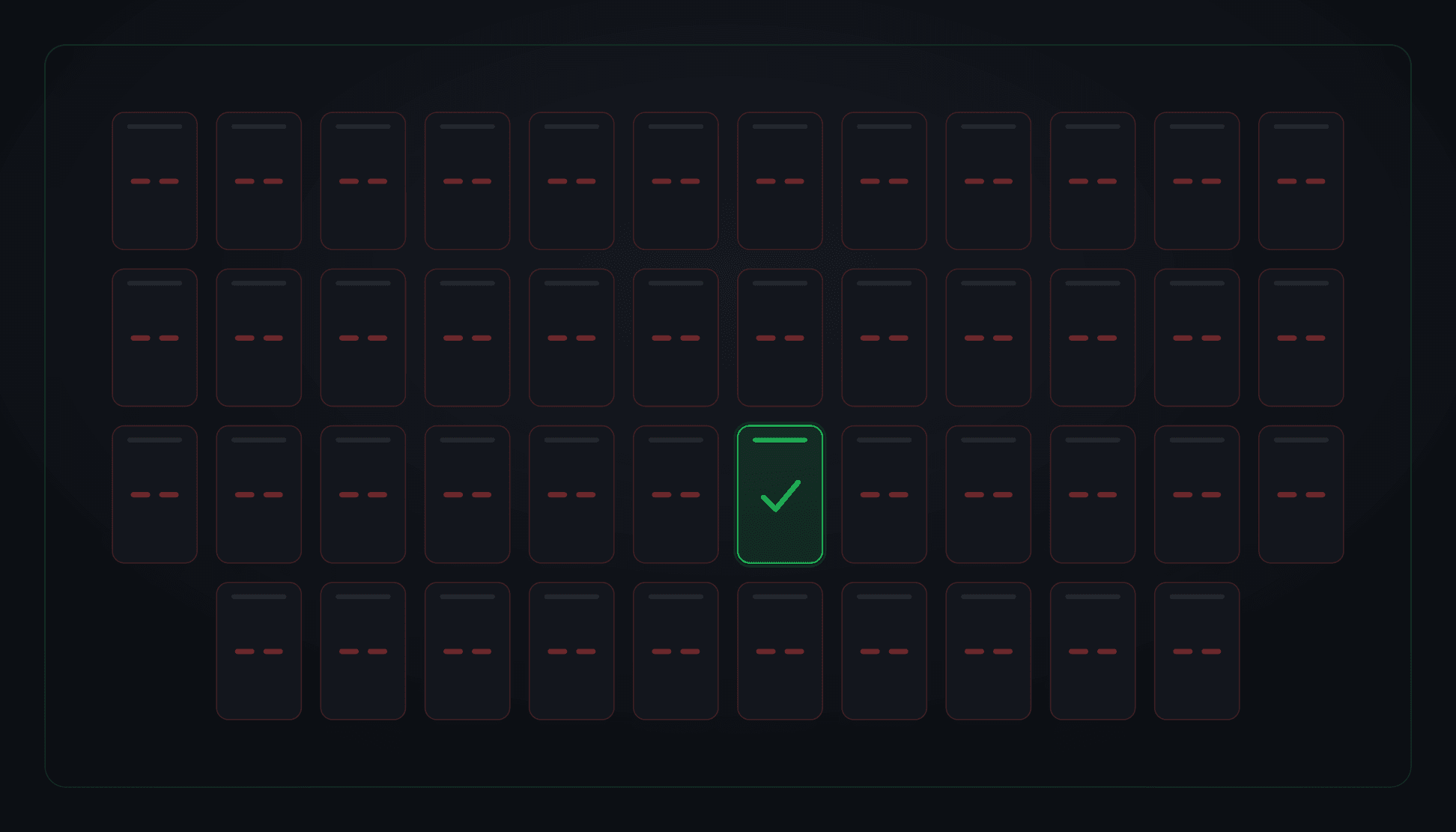
The Boot Race That Killed 45 of 46 Consumers
A routine host reboot brought a notification service back up in seconds (healthy, green, 200 OK) while 45 of its 46 message-queue consumers were dead and had been since the moment it started. The broker's AMQP listener opened 38 seconds after boot; every consumer had already dialed once, hit ECONNREFUSED, and disabled itself without retrying. The health check couldn't see any of it, because it watched the process, not the work.
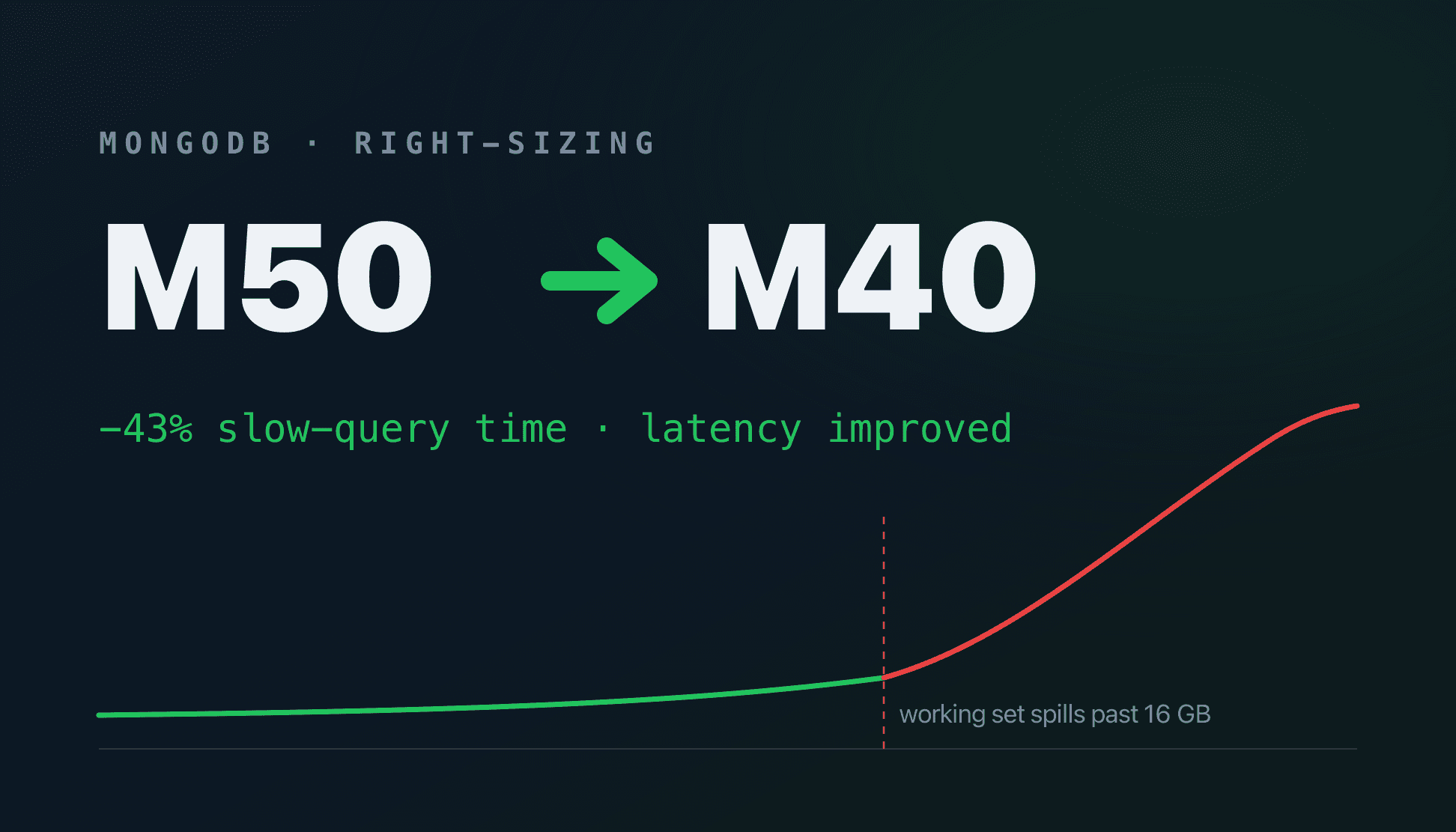
Right-Sizing a Production MongoDB Cluster: M50 → M40
You can't just click "downgrade" on a production database. Here's the log forensics, index surgery, and aggregation rewrites that shrank the working set enough to take a MongoDB Atlas cluster from M50 to M40, a full tier down, slow-query time down ~43%, and latency that improved through the cut.
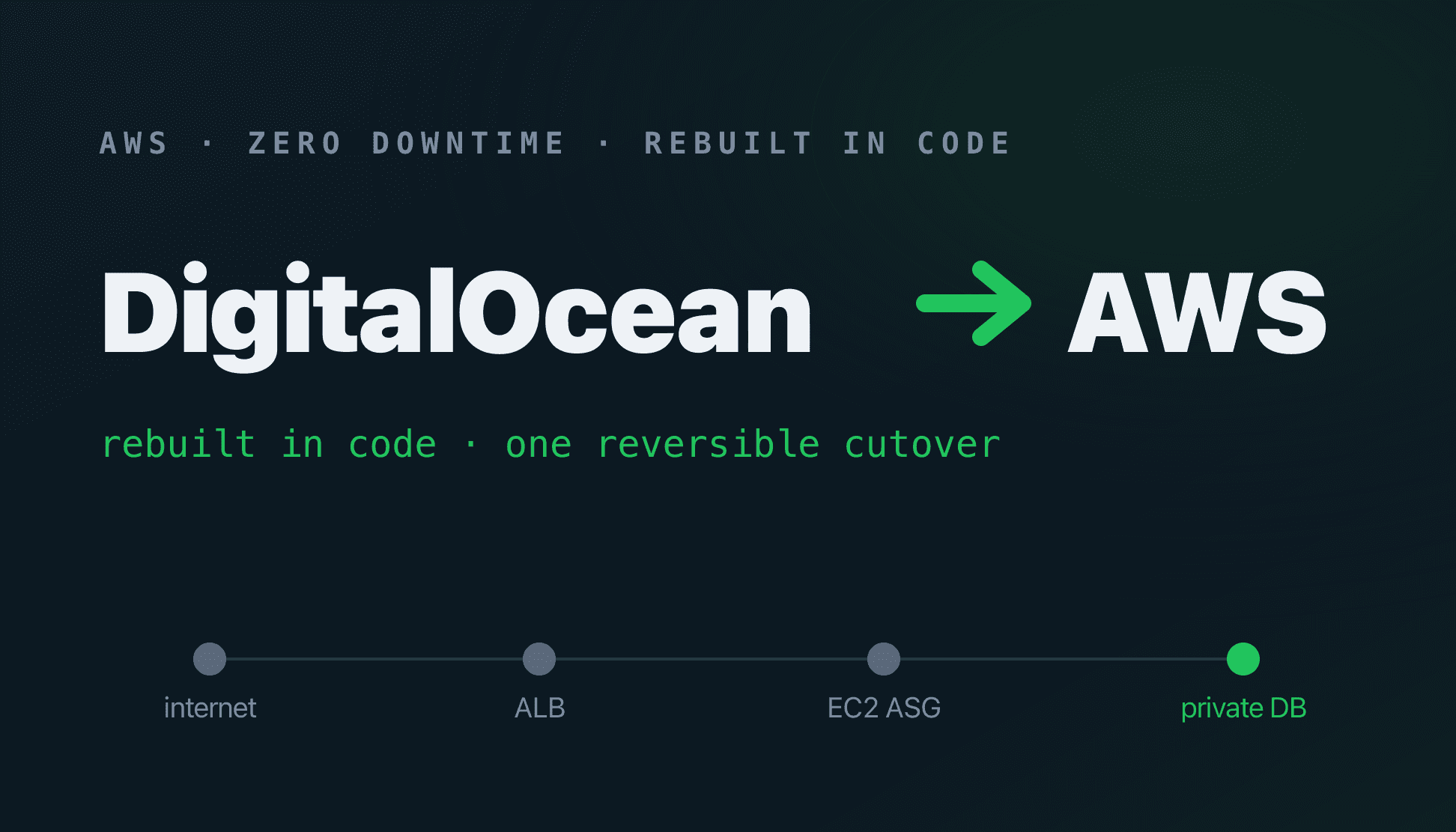
A Zero-Downtime DigitalOcean → AWS Migration (50k Users)
Moving a live 50,000-user production platform off DigitalOcean and onto AWS without a single customer noticing: rebuilt entirely in Terraform and flipped over with one reversible DNS cutover, with the old stack kept warm as a real rollback net.